
For engineering managers
See how fast every team’s code gets reviewed
A weekly Slack report for each team: how long pull requests wait for review, and how many merge without one.
Your team’s week in review, right in Slack
Every week, PullPro posts a short report to each team’s channel. Three numbers, each with its trend — enough to spot a problem before it comes up in a retro.
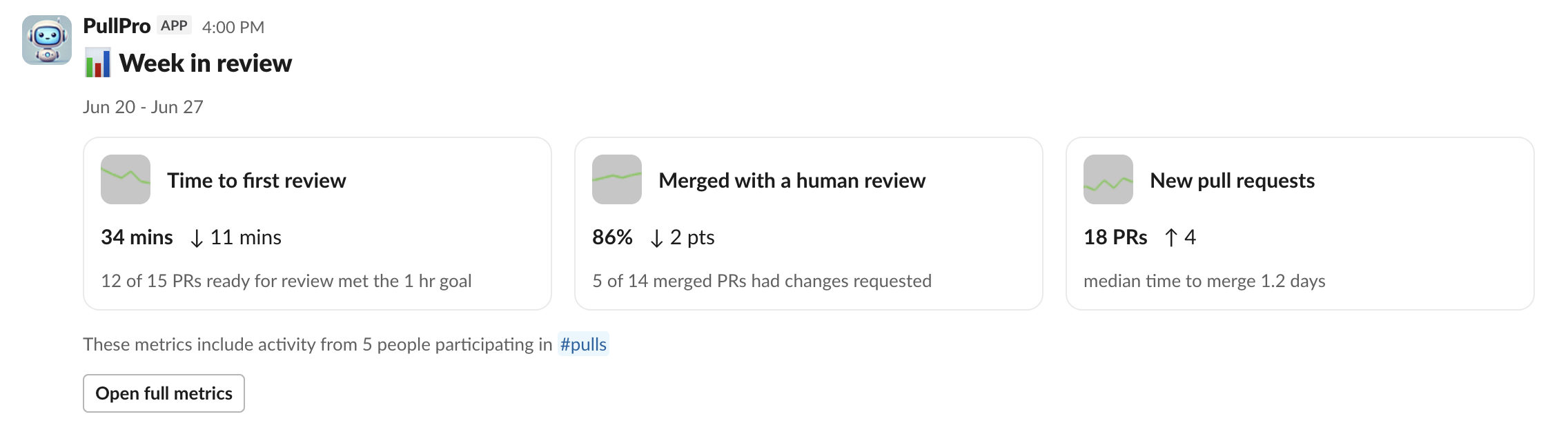
Time to first review
How long pull requests sit before someone picks them up, in working hours, and how many hit your goal.
Merged with a human review
How much code shipped after a real person reviewed it. Bot approvals don’t count.
New pull requests
How busy the week was, so a slow week and a swamped week don’t look the same.
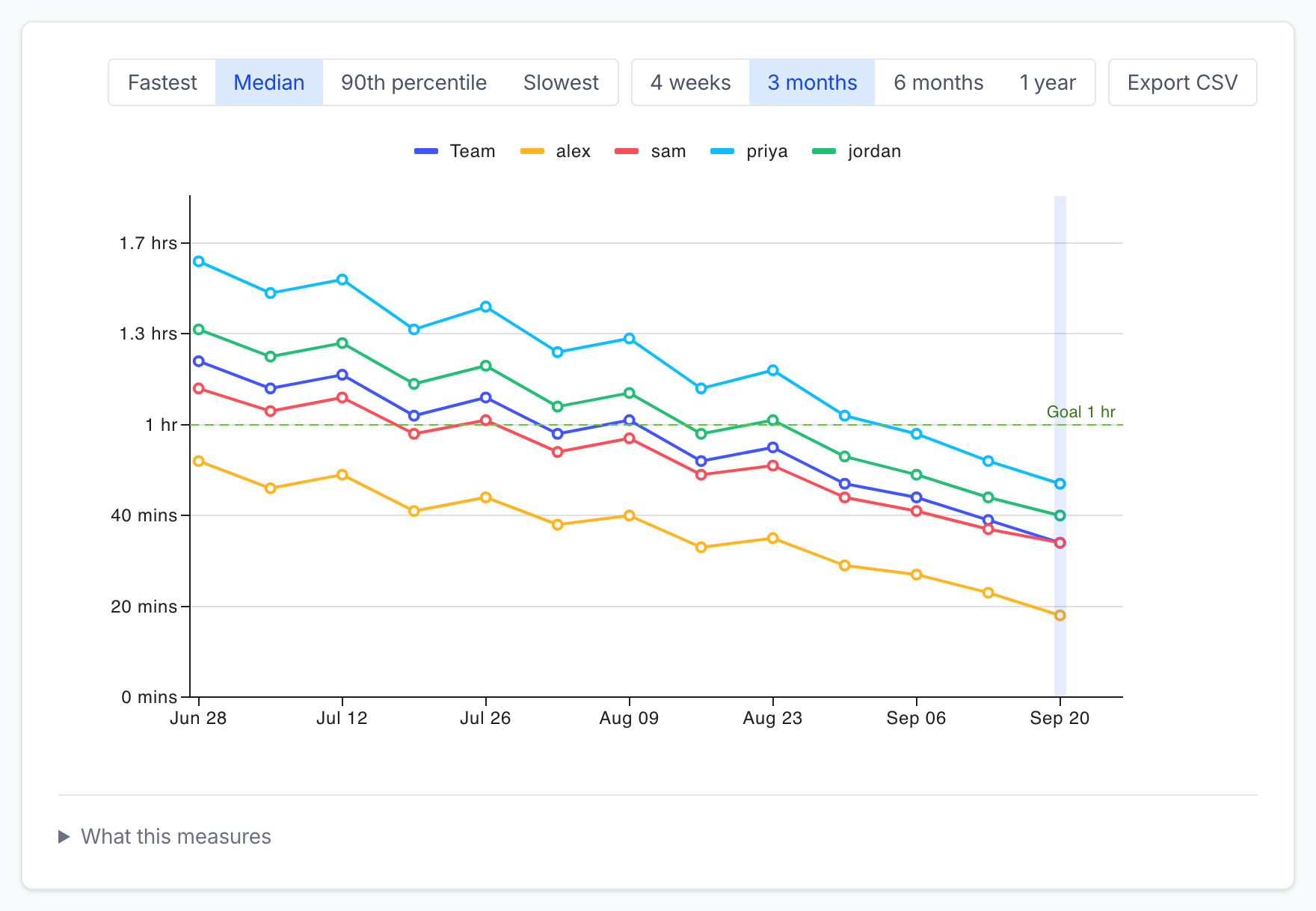
Want more? Open full metrics for the longer view: trends over months, three more metrics, and the pull requests behind every point. How we count
Built for managers with more than one team
One channel per team
Route pull requests by GitHub team, repo or label. Each team gets its own channel, report and goal.
No GitHub login for you
Someone with admin access connects your GitHub org once. After that, everything you need is in Slack. How setup works
Team numbers first
Reports show team figures by default. Per-person numbers are opt-in, channel by channel, and the whole team sees the same report.
It fixes the wait, too
PullPro posts each pull request once its checks pass, lets a reviewer claim it in one click, and nudges when things stall. More in our guide to reducing review time.
Not another dashboard
GitHub’s Slack app sends notifications, but it can’t tell you whether reviews are getting faster. Analytics suites like LinearB and Swarmia do far more, priced per developer, in a dashboard someone has to remember to open. PullPro sits in between: it keeps reviews moving and reports on them where your team already works, priced per channel.
Questions from managers
Nope. Once your GitHub org is connected, their pull requests are measured automatically. Anyone who links their GitHub account also gets DMs for review requests, failed checks and mentions.
Anything PullPro posts to a channel, starting the day you connect. We don’t import older history automatically, so your first few reports set the baseline. Drafts count once they’re ready for review. Want your earlier pull requests included? Email [email protected] and we’ll see what we can backfill.
Not yet. Each team gets its own report and metrics page. If a combined view would help you, tell us at [email protected].
No. PullPro only sees pull request metadata: titles, status, reviews, timestamps and which files changed. It has no access to file contents. Our Privacy Policy has the details.
It’s marked for deletion right away and erased for good after 14 days. Reinstall before then and it’s all still there.
Nothing while we’re in beta, and you’ll get notice before that changes. After that, pricing is per Slack channel with unlimited developers. 1 channel is free, and the Team plan covers up to 5 channels for $49 a month. See pricing.
Find out where reviews get stuck
Add PullPro to Slack, connect GitHub and pick a channel for each team. Your first report lands at the end of the week.