

AI Features
PullPro's optional AI features bring your own large language model to power personalized pull request digests and smarter review reminders. Learn how to set up an OpenAI-compatible API key, what data is processed, how to control cost, and how to turn it all off.
Overview
PullPro includes optional, AI-powered features that help your team focus on the pull requests that matter most:
- Personalized PR digests — a scheduled direct message summarizing the open PRs that need each developer's attention and the relevant PRs that recently shipped.
- Smart review pings — overdue-review reminders that prioritize the reviewers whose recent work is most relevant to the change.
- Developer profiles — short summaries PullPro builds from each developer's recent pull request activity, used to power the two features above.
These features are turned off by default and run on a large language model (LLM) that you provide. Anyone in your Slack workspace can enable them by supplying an API key for any OpenAI-compatible provider (for example, OpenAI). PullPro never ships its own model or key — you stay in control of the provider, the spend, and the data.
Setting Up AI Features
AI features are configured once per workspace, from the PullPro app home tab in Slack. (There's no separate admin role today — anyone in the workspace can configure them.)
- Open the PullPro app home tab in Slack.
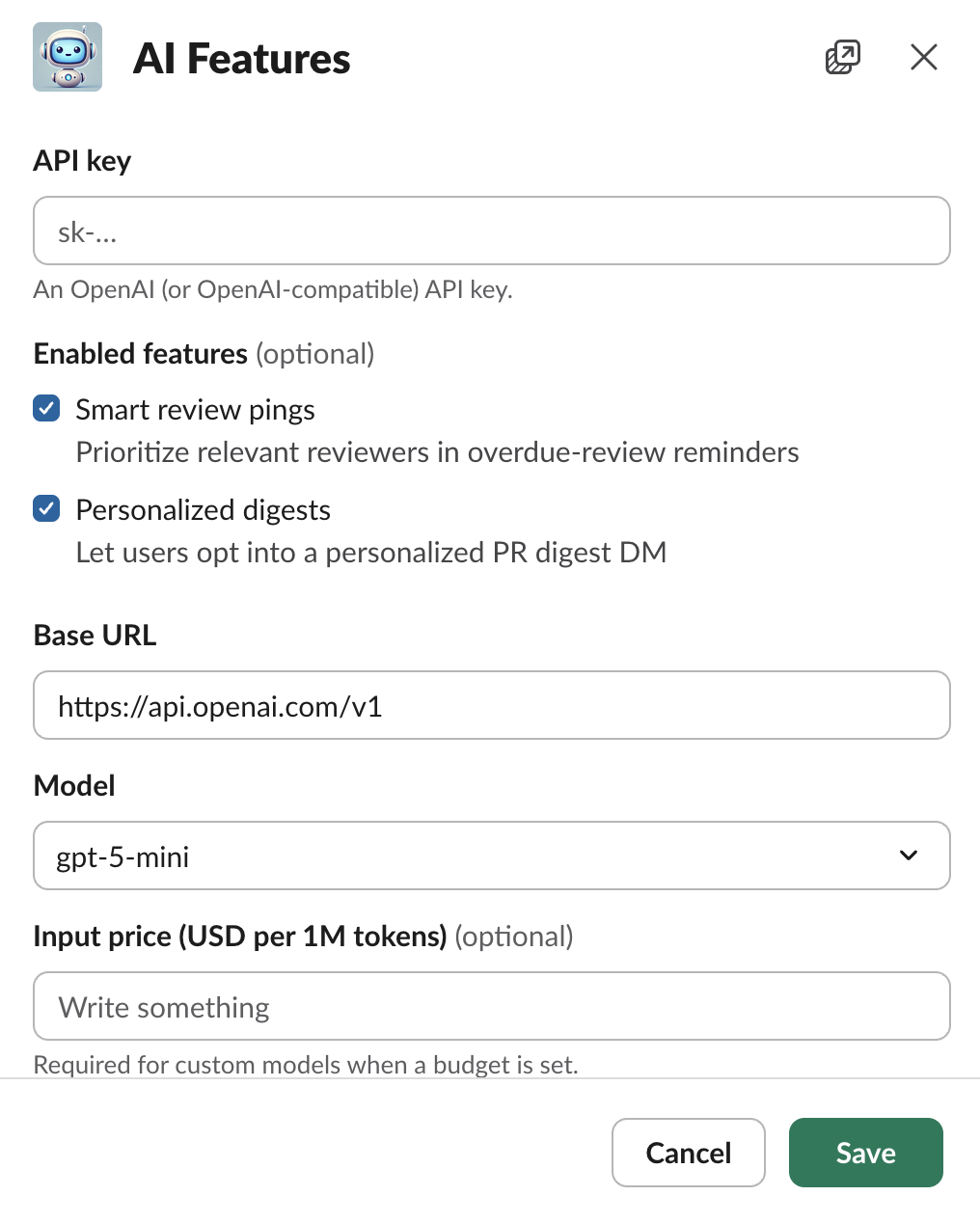
- Under Workspace settings, open AI features.
- Enter your API key for an OpenAI-compatible provider. The key is stored write-only — for security it can never be viewed again after it is saved.
- Adjust the Base URL and Model if you use a provider other than OpenAI's default, or pick Custom… to enter a specific model name.
- Choose which features to enable: Smart review pings, Personalized digests, or both.
- Optionally set a monthly budget to cap spend (see Controlling Cost).
- Click Save.
What Data Is Sent
When AI features are enabled, PullPro sends limited pull request data — titles, descriptions, changed file paths, and the short per-developer work profiles described below — to the LLM endpoint you configured, so it can rank and summarize the most relevant PRs. Your source code and file contents are never sent. The data is processed by the third-party provider you chose, under that provider's own terms. See the Privacy Policy for the full details.
Smart Review Pings
When a pull request has been waiting for review, PullPro sends a reminder. With smart review pings enabled, that reminder prioritizes the assigned reviewers whose recent work is most relevant to the change, so the people best placed to review see it first. This only ever reorders and highlights reviewers — it never excludes anyone from review work they've been assigned.
Personalized Digests
Once digests are enabled for the workspace, each developer can opt in to their own personalized digest from the app home tab.
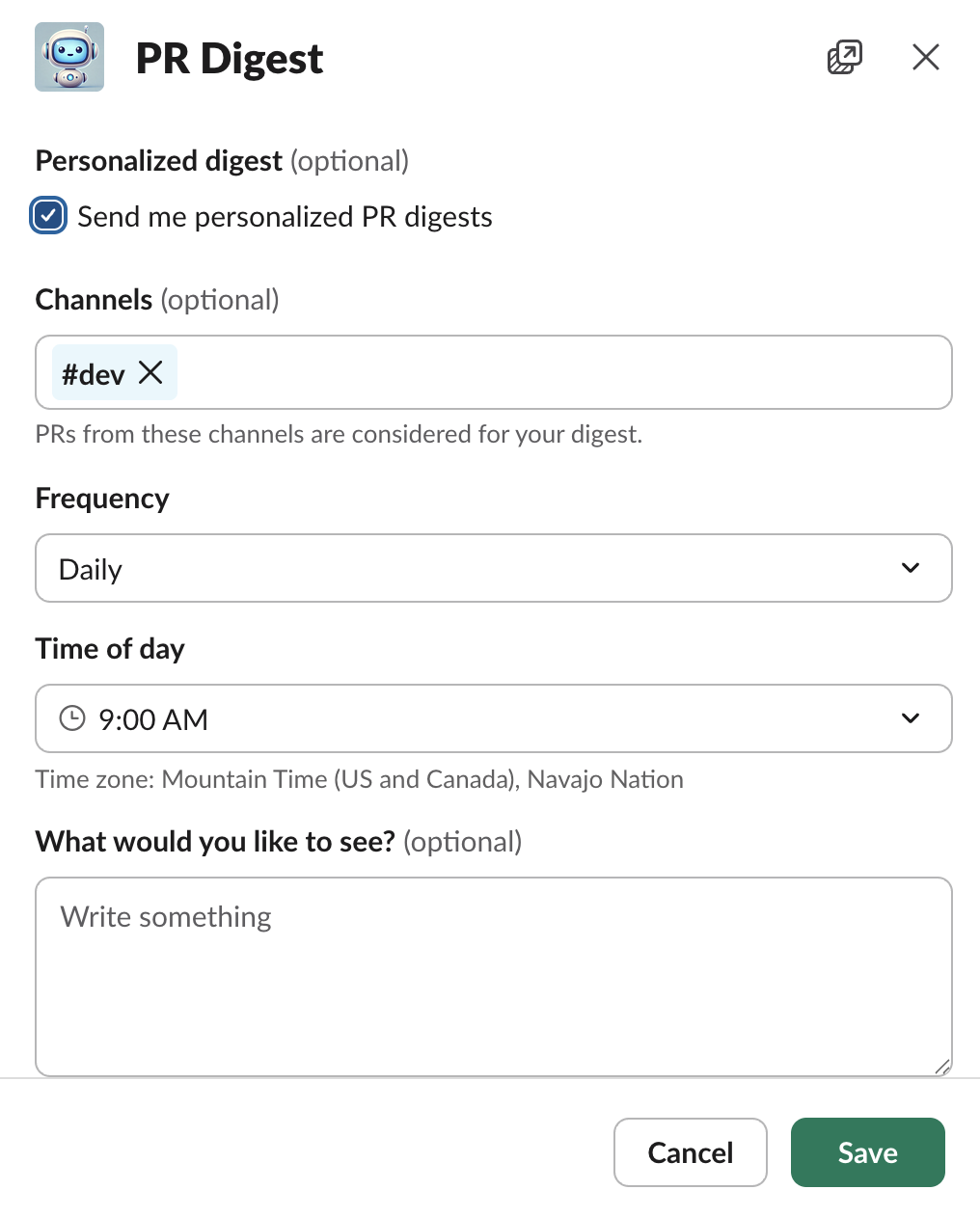
- Open the PullPro app home tab and, under Your settings, open Personalized PR digest.
- Turn the digest on.
- Choose the channels whose PRs should be considered.
- Pick a frequency (daily or weekly) and the time of day — shown in your own Slack timezone.
- Optionally describe, in "What would you like to see?", the kinds of PRs you care about (for example, "anything touching the billing service or the mobile app"). PullPro weights your digest toward those interests.
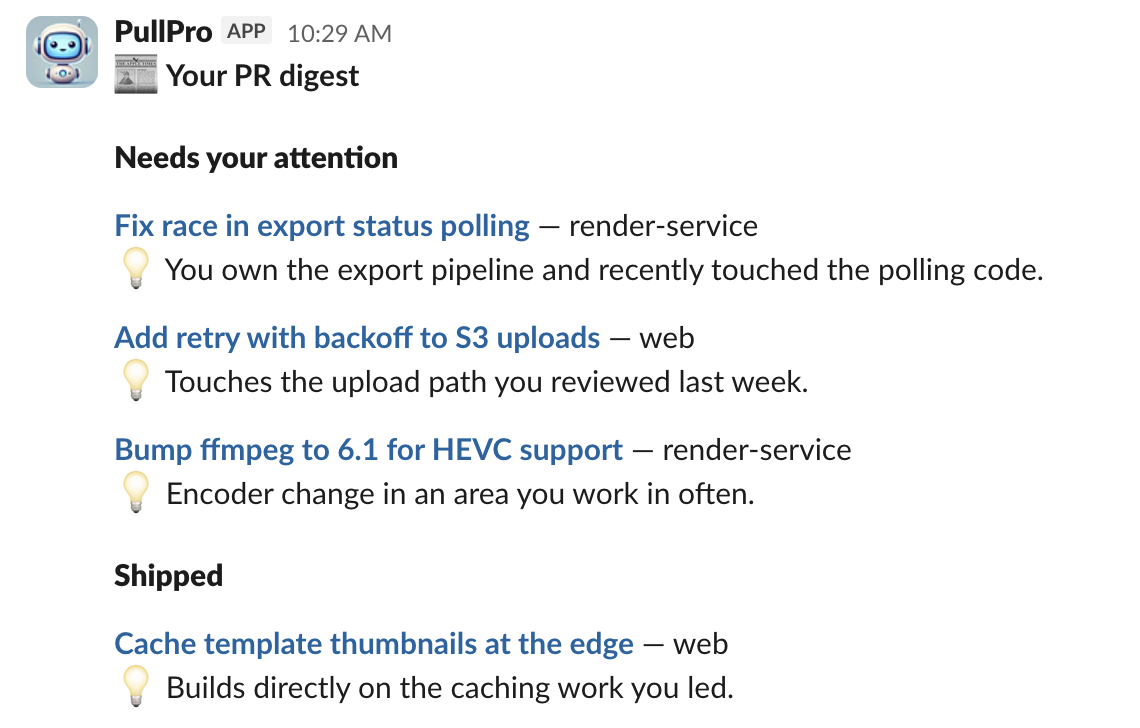
At the scheduled time, you receive a direct message with two short sections — Needs your attention (open PRs relevant to you) and Shipped (relevant PRs merged since your last digest) — each item with a one-line note on why it's relevant to you.
Developer Profiles
To personalize digests and review pings, PullPro periodically builds a short profile of each developer from their recent pull request activity (the areas and repositories they tend to work in). Profiles are only built while AI features are enabled, and they are used solely to power the features above.
Controlling Cost
Because the features run on your own provider, you pay your provider directly for usage. To keep spend predictable:
- Set an optional monthly budget in the AI settings. PullPro pauses AI features for the rest of the month once estimated spend reaches the limit. (It's an approximate guide, not an exact meter.)
- Choose a cost-effective model. A "mini"-tier model is usually more than capable for ranking and summarizing pull requests.
For most teams, a daily digest costs only a few cents per developer per month.
Turning AI Features Off
You can disable AI features at any time:
- Per developer: turn off your Personalized PR digest in your own settings.
- Per workspace: anyone in the workspace can uncheck individual features in the AI settings, or click Remove AI configuration to delete the stored API key entirely. Removing the key immediately turns off all AI features — digests, smart pings, and profile building — and no further pull request data is sent to any provider.